e.nya.je
Windows 7
Press Win + R and a pop up would show up
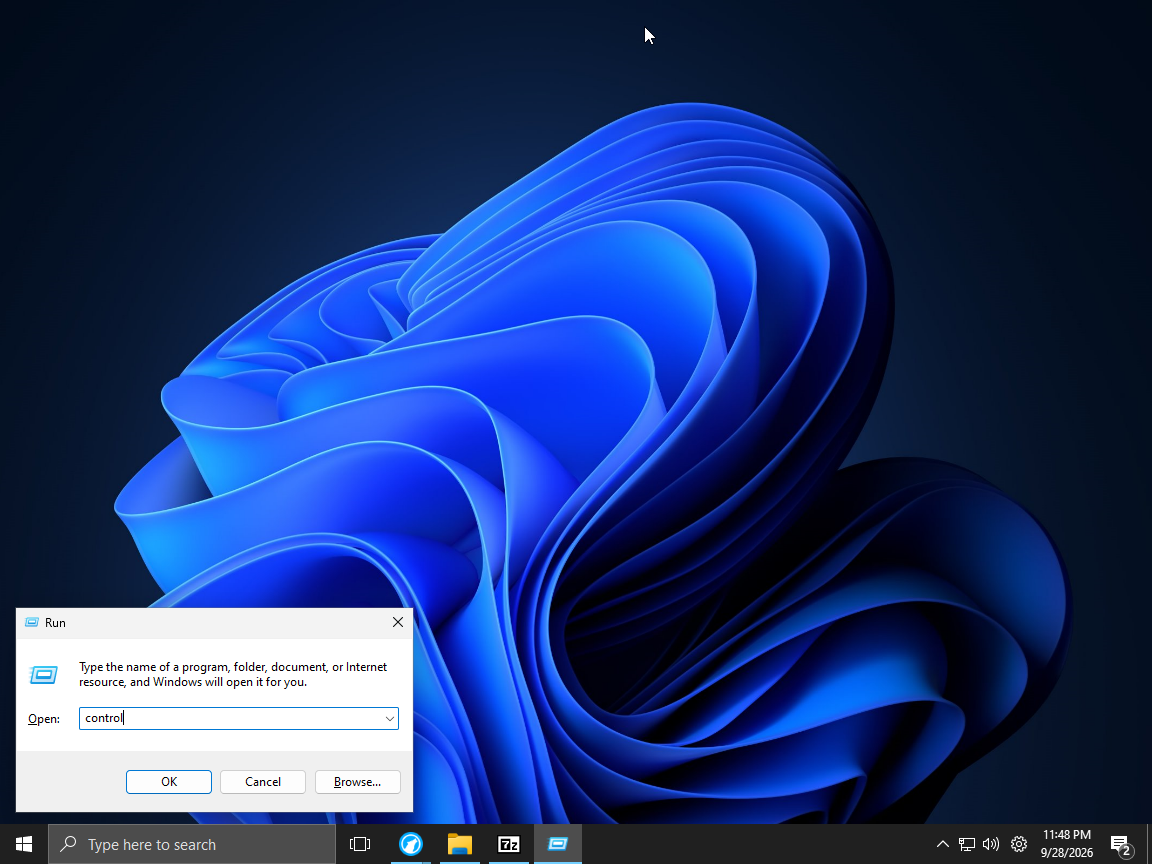
Type control and press ok in the pop up
This control panel would pop up
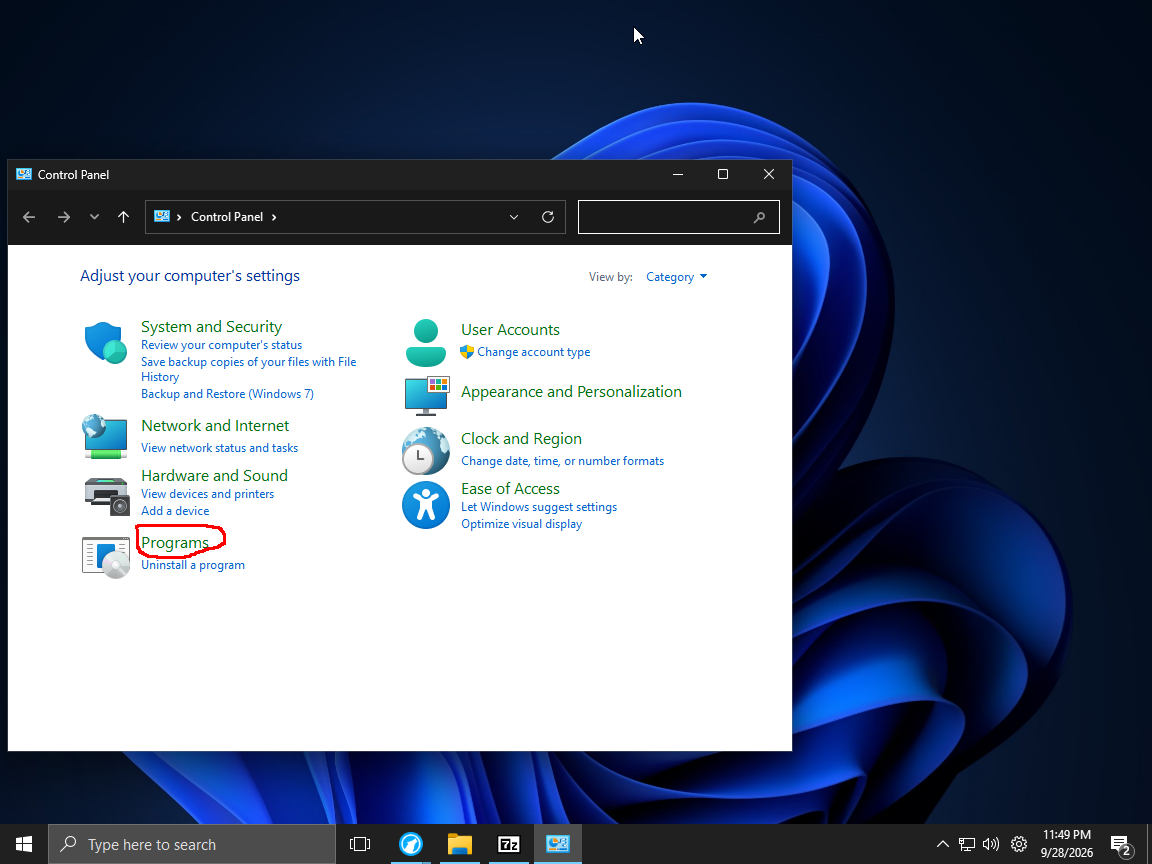
click here
After that it should look that :
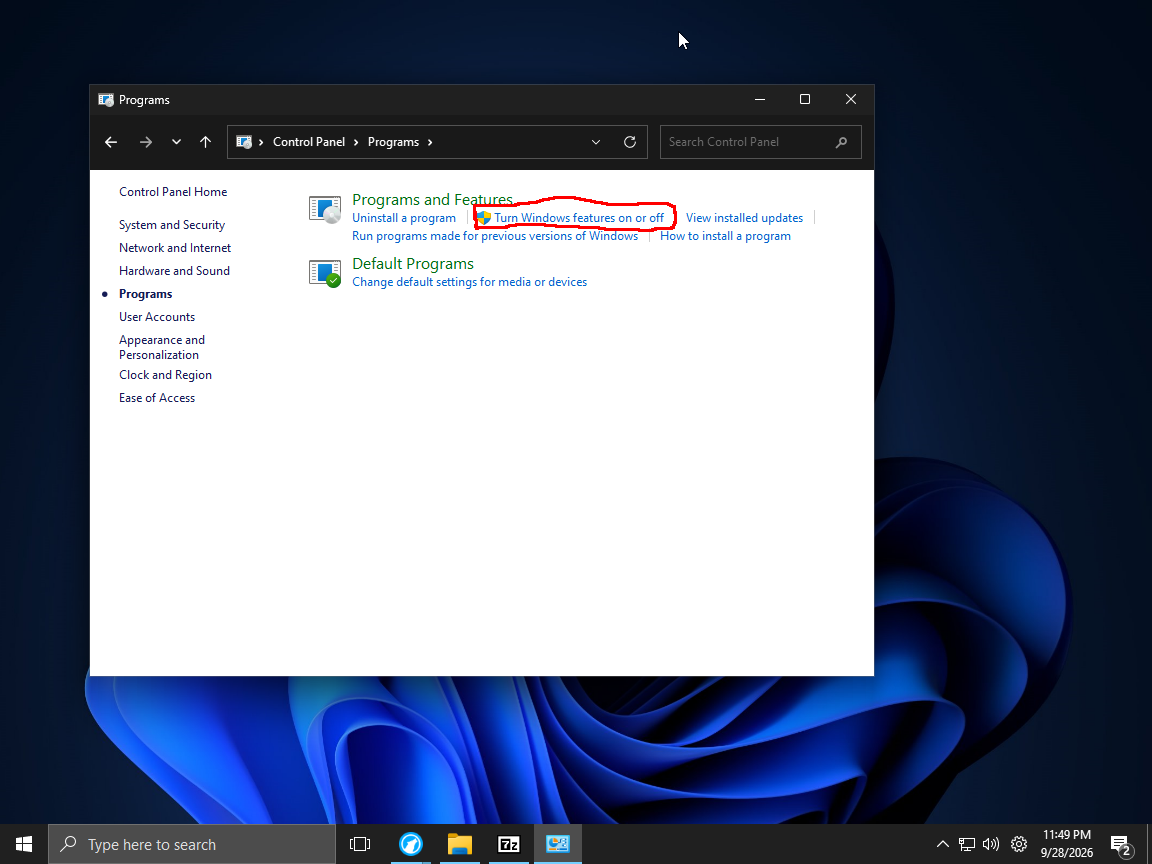
Click Turn Windows Features On or Off
This pop up would open :
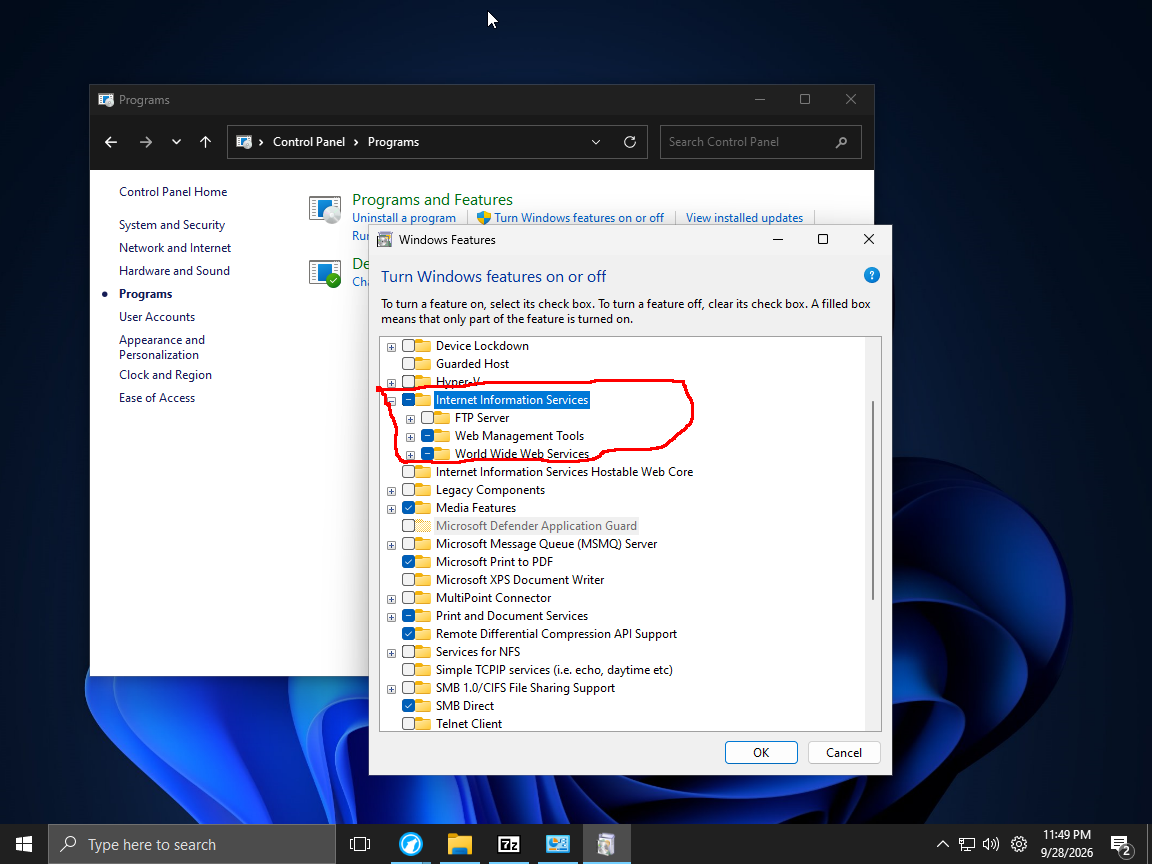
Make sure Internet Information Services is turn on
if not , turn that on.
After that click ok
If it ask you to reboot then click reboot
Open https://github.com/exkc/e.nya.je in your browser
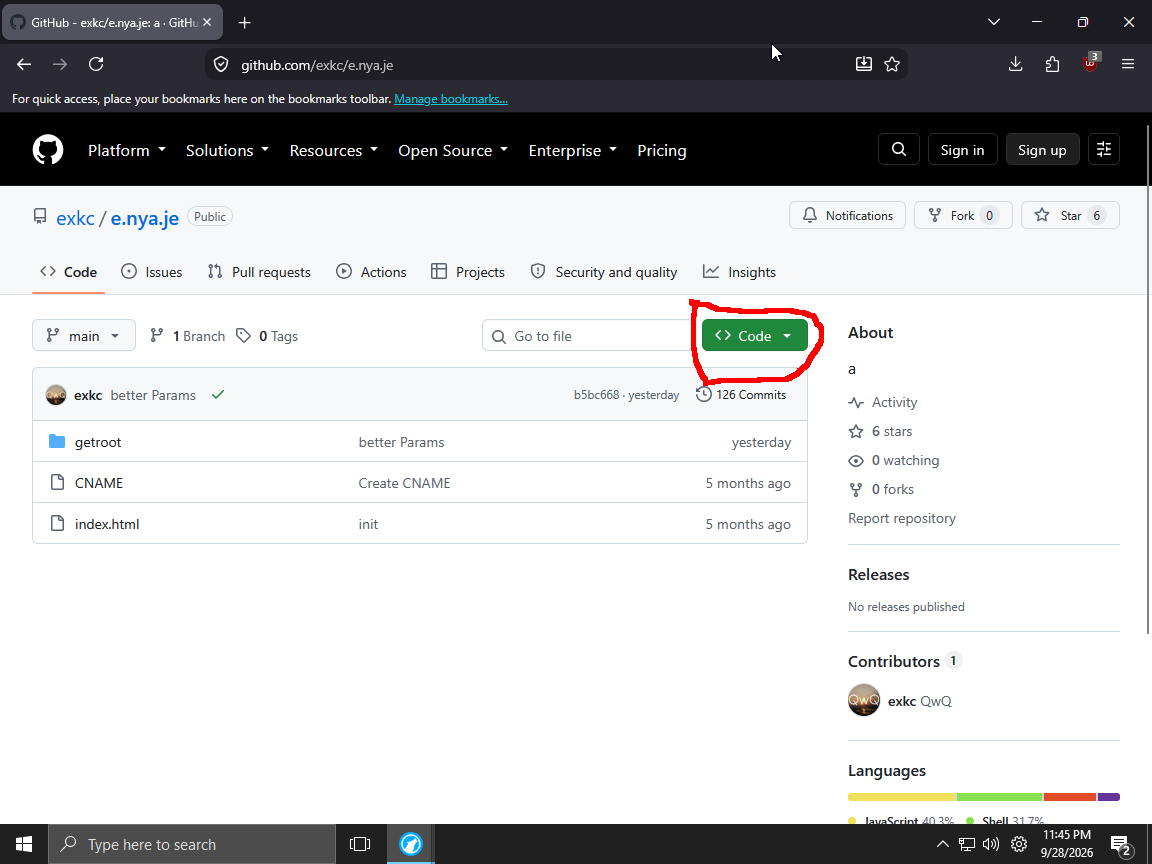
Click here
You would see a pop up after clicking
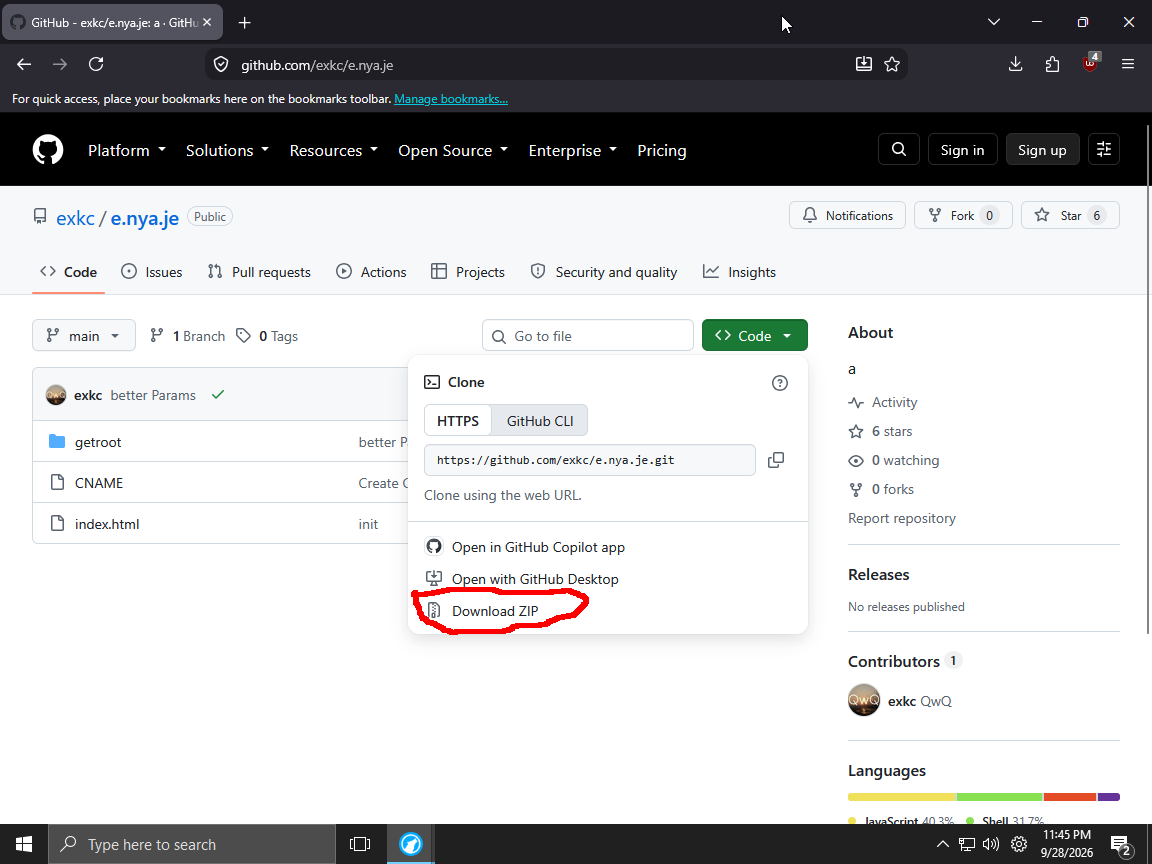
Click that in the pop up
Open https://github.com/webosbrew/webos-homebrew-channel in your browser
After that Click here
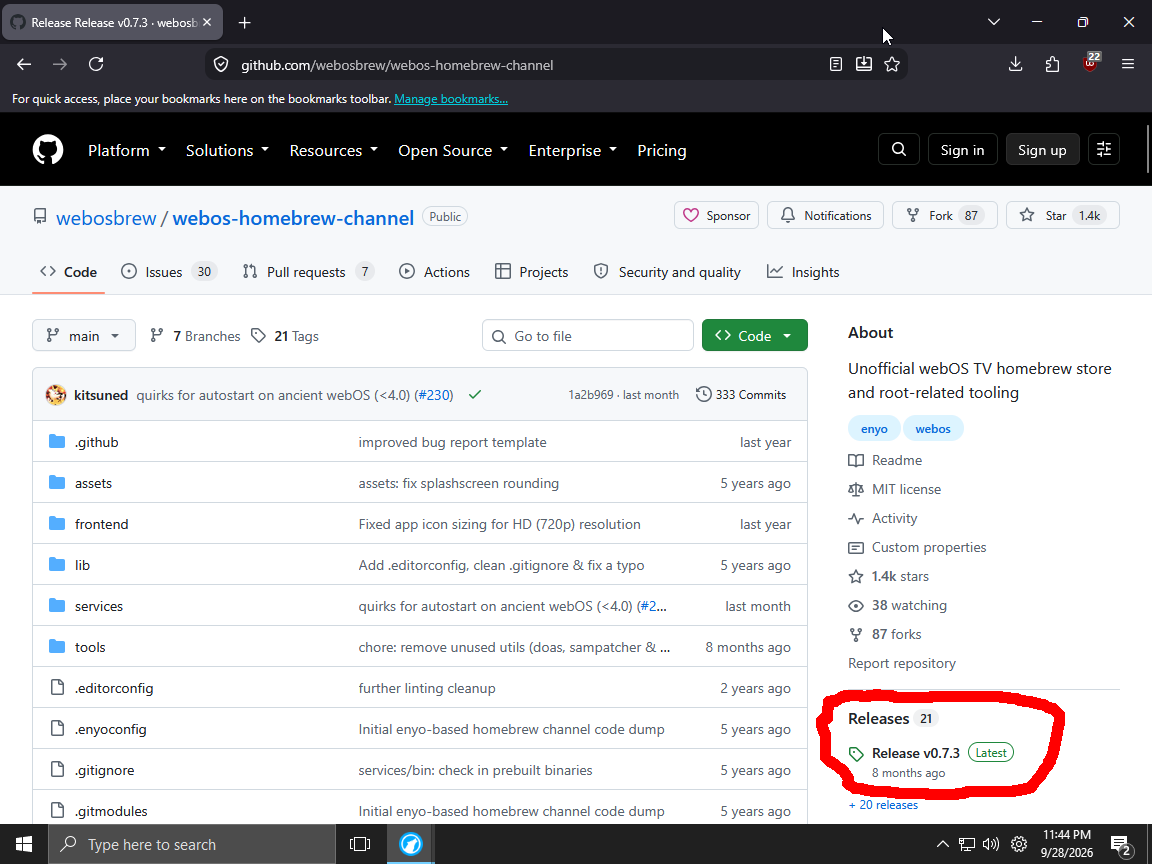
You would see this page
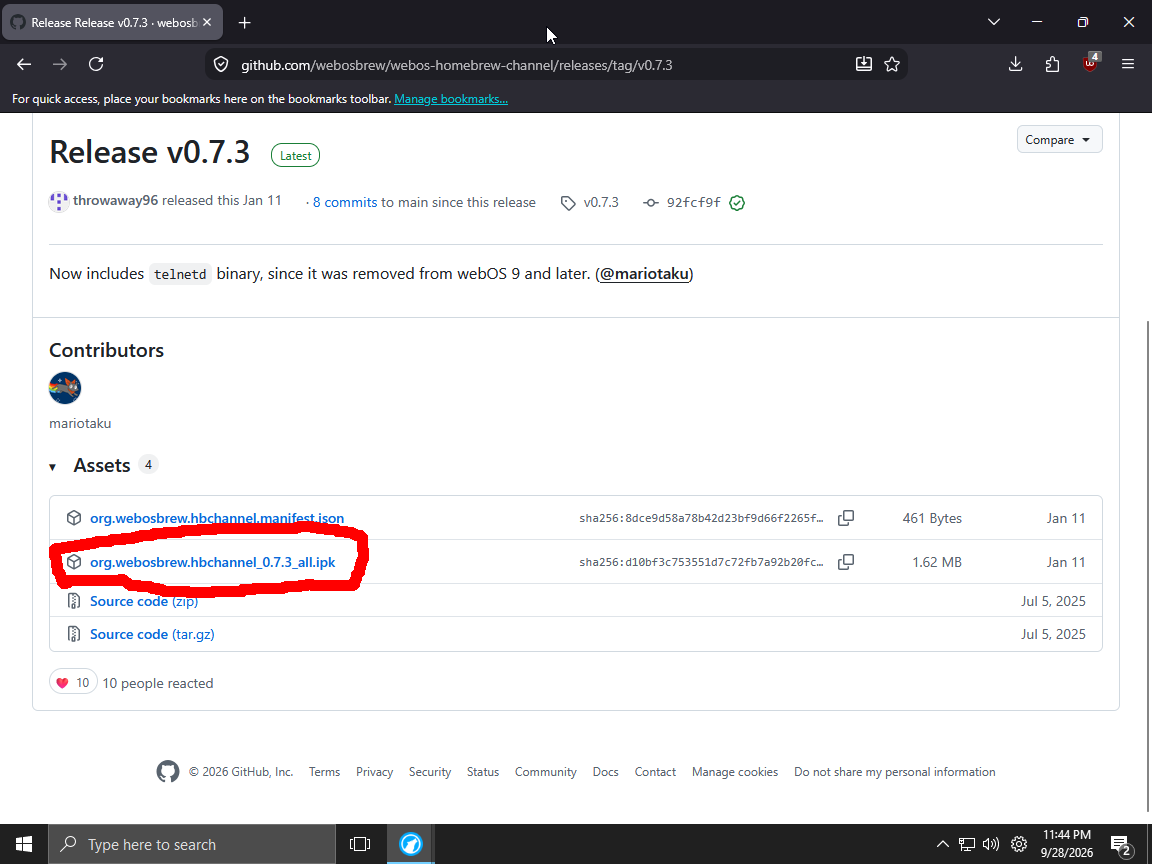
If you do then click here.
Your browser will be starting to download a ipk file
Open https://github.com/webosbrew/webos-homebrew-channel/blob/main/services/bin/telnetd in your browser
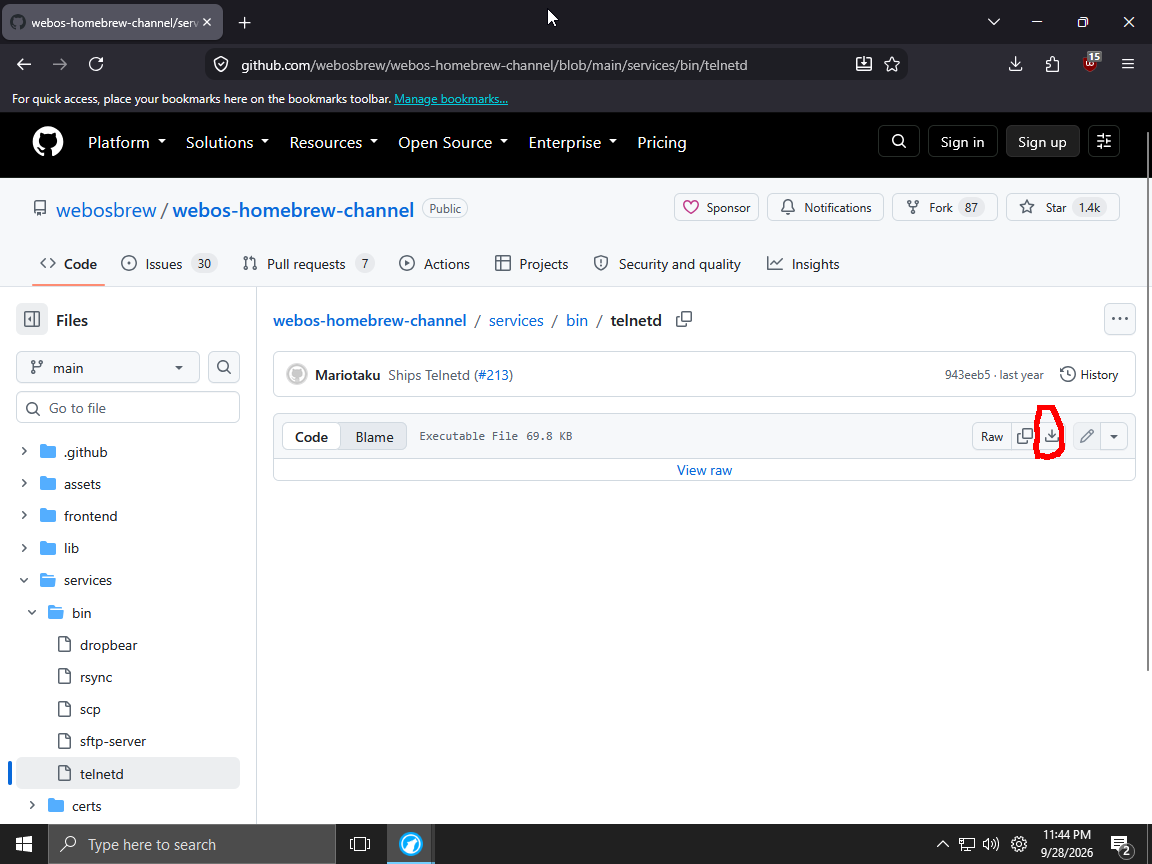
Click here
Your browser will be starting to download a file call telnetd
Check your download folder
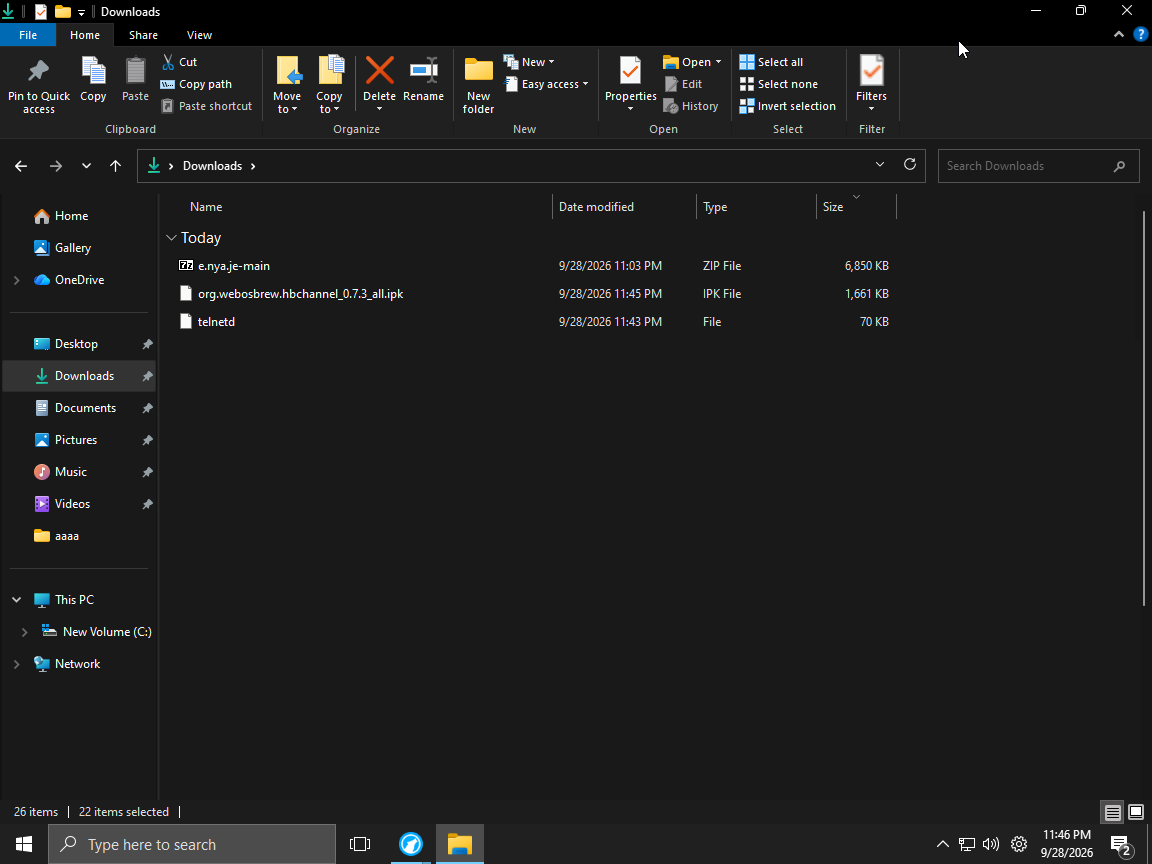
you should 3 file : telnetd file , a ipk file , a zip file
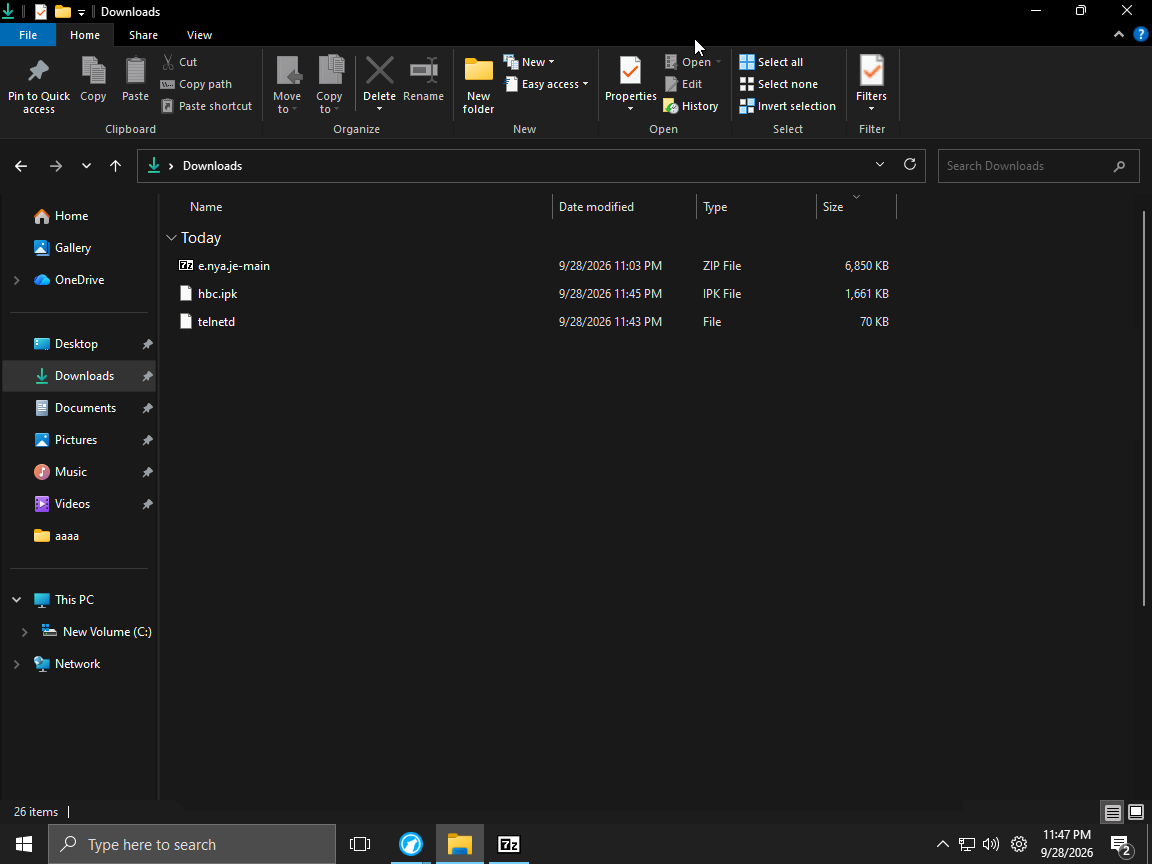
Rename the ipk file into hbc.ipk like so
Open the zip file
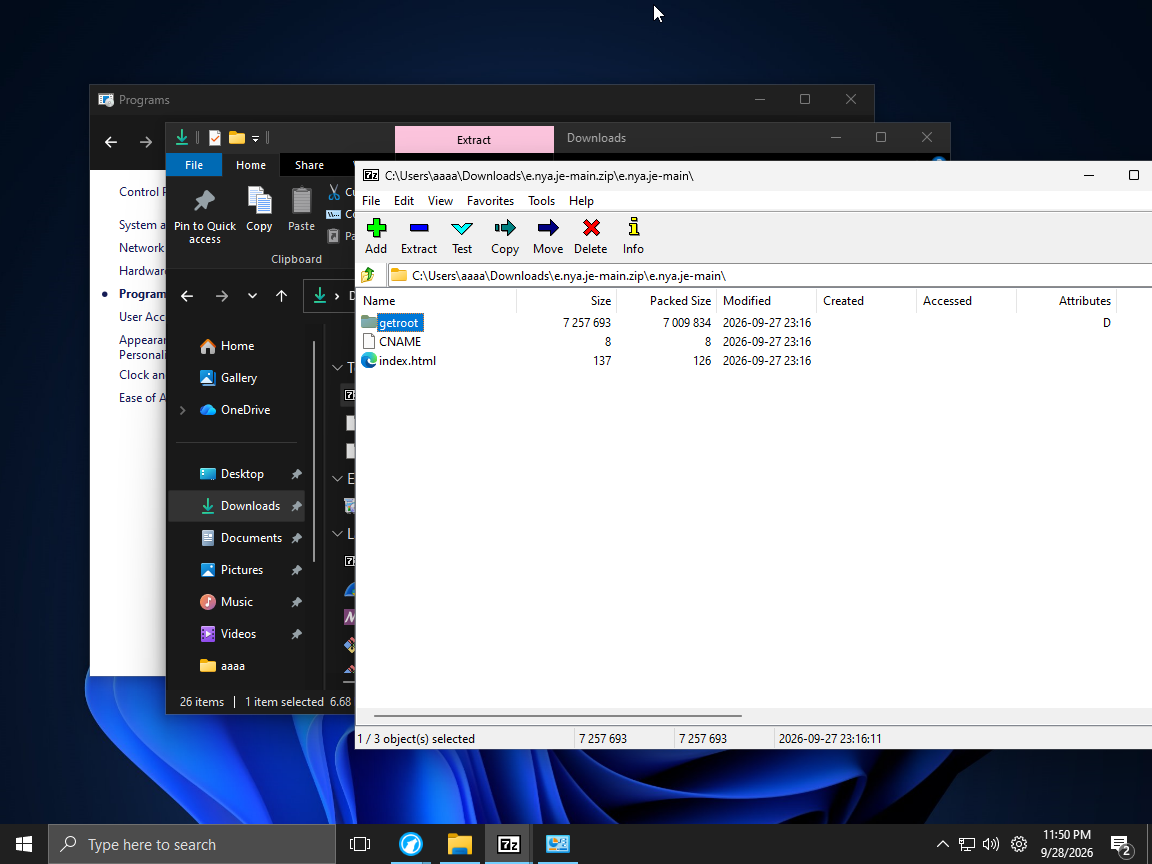
Copy the folder getroot into C:\inetpub
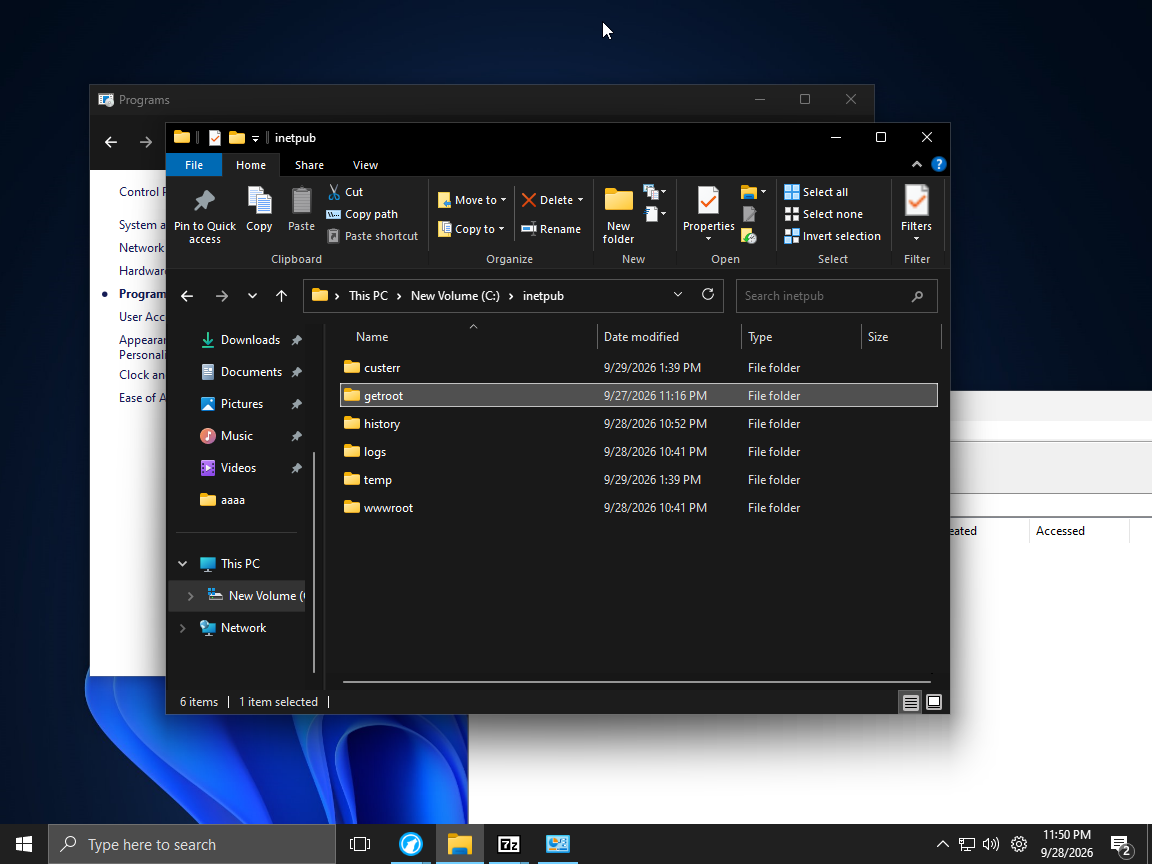
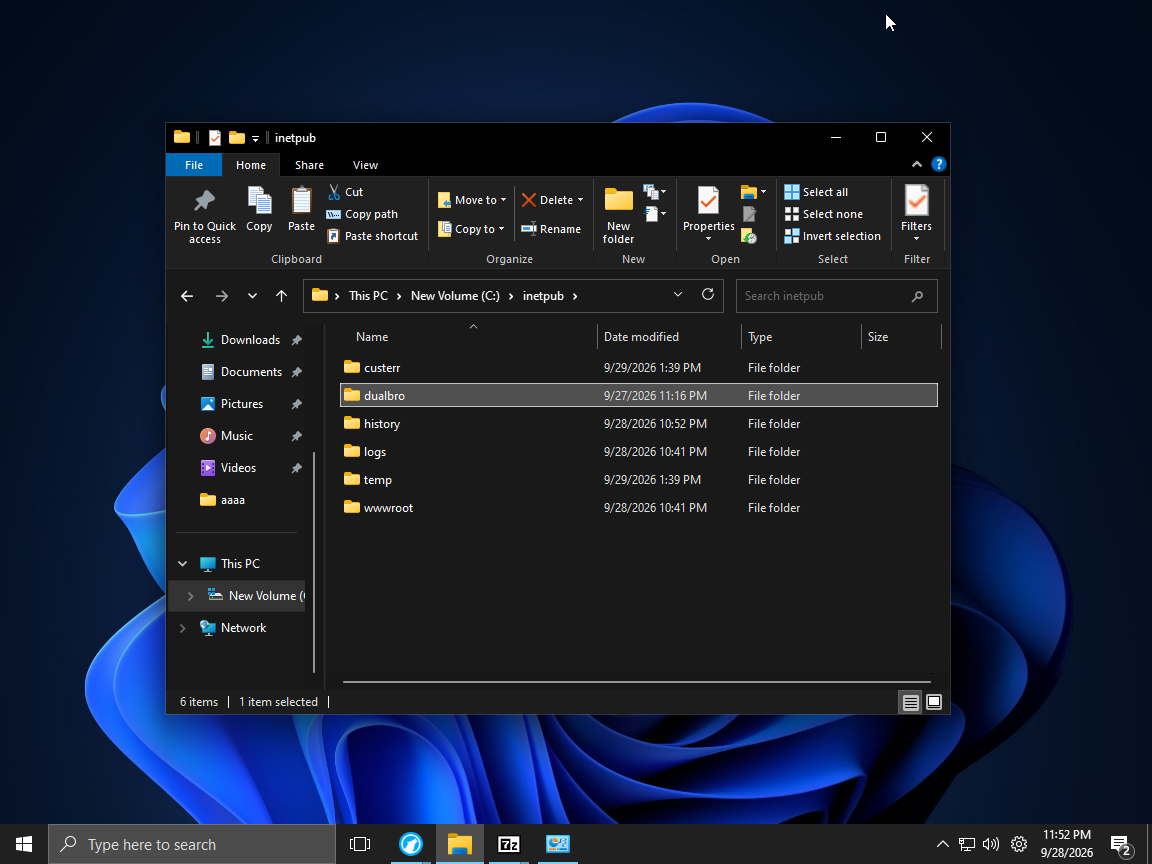
Rename it into dualbro
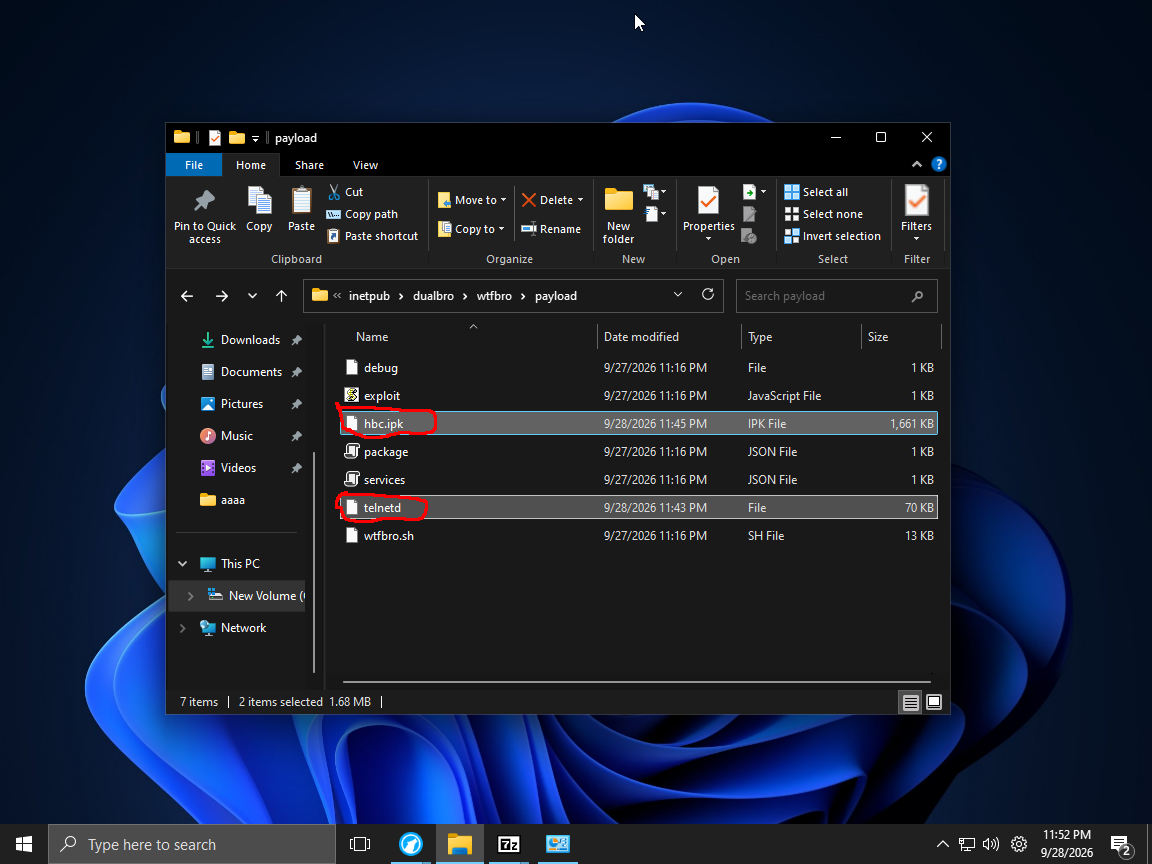
Copy those 2 file into the dualbro folder
Search iis
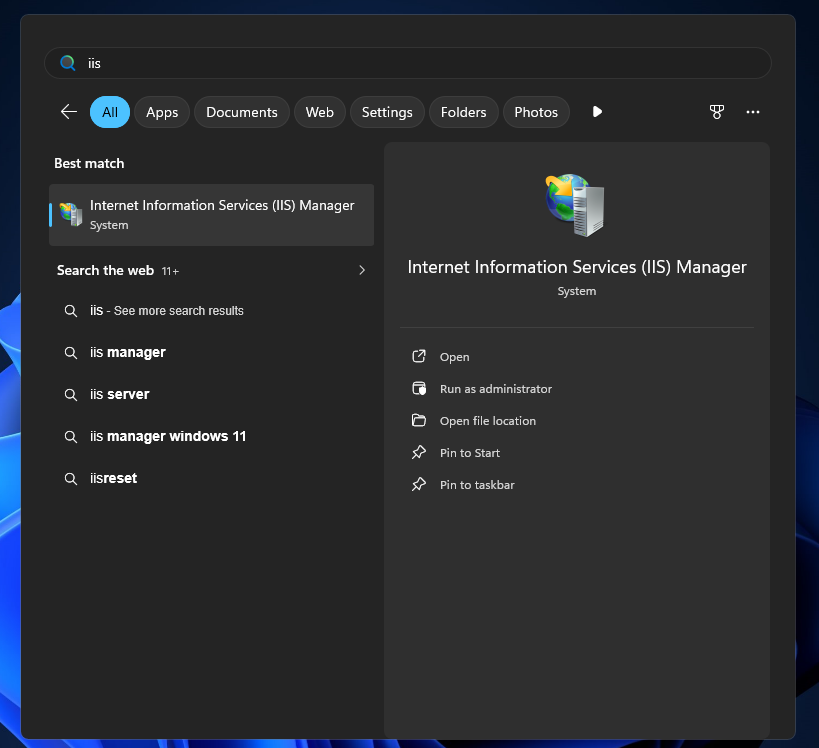
Open it
After opening it then right on Sites like so :
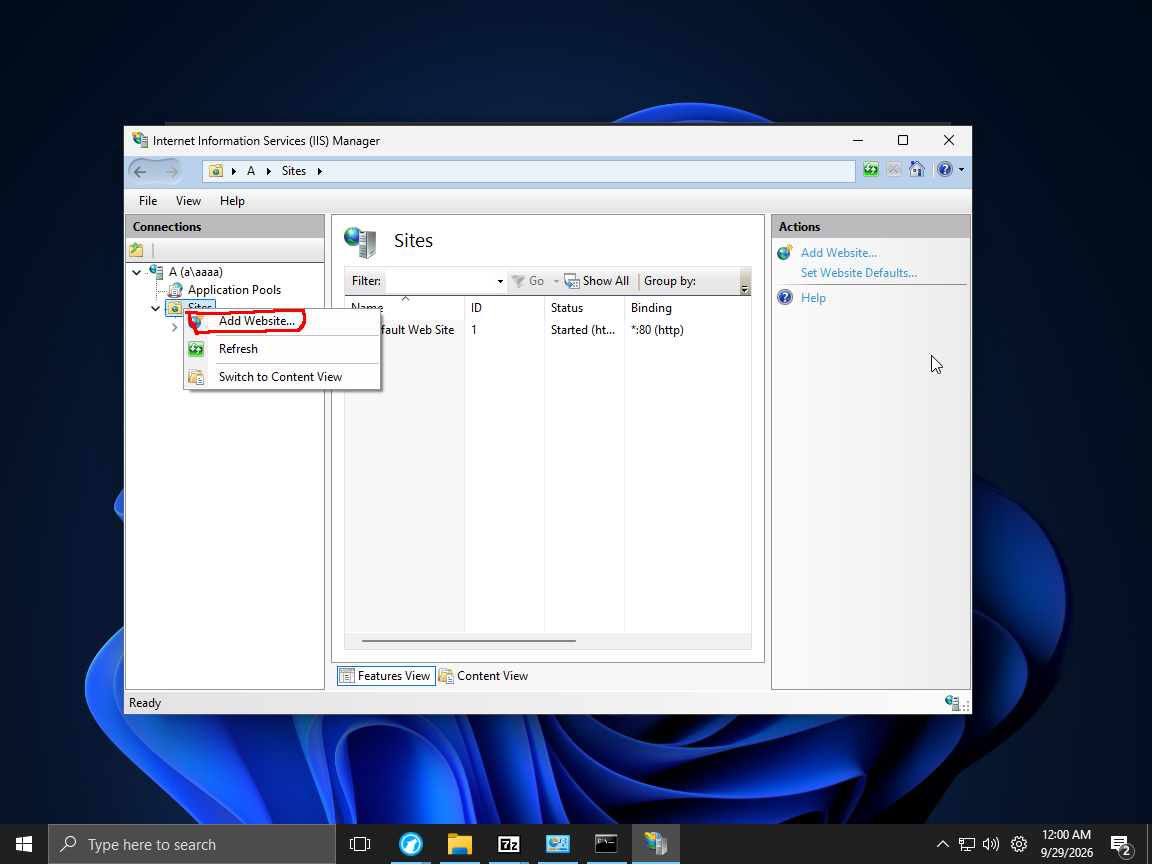
Click Add Website
This should pop up and fill in all the feild like so
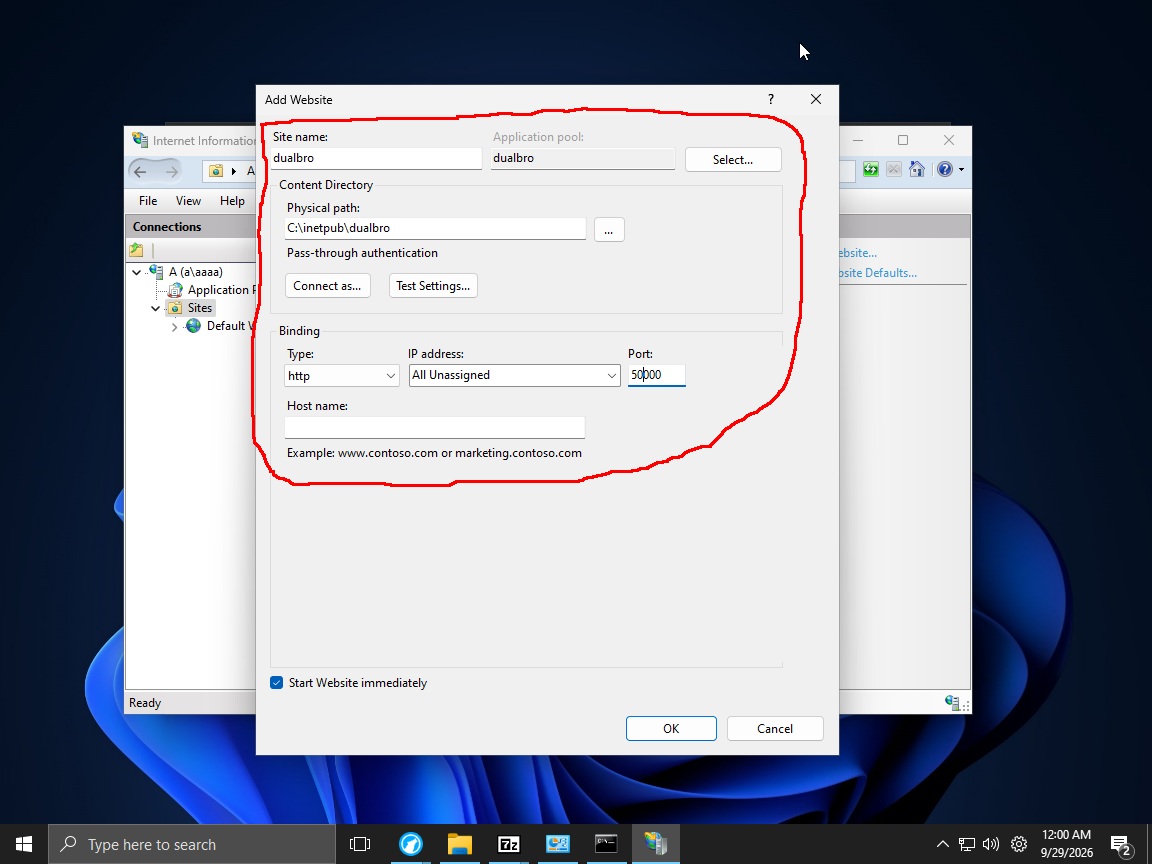
Click ok after that
you should smth like so :
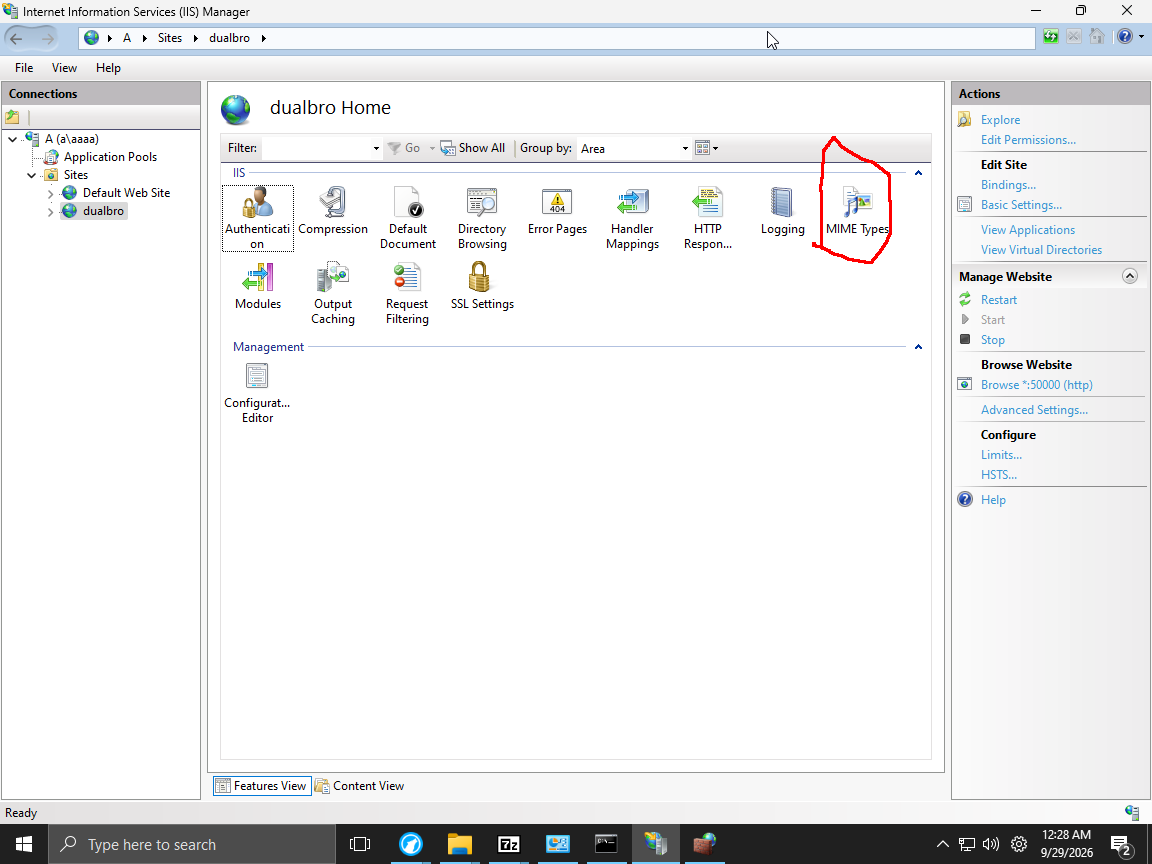
Click Mine type
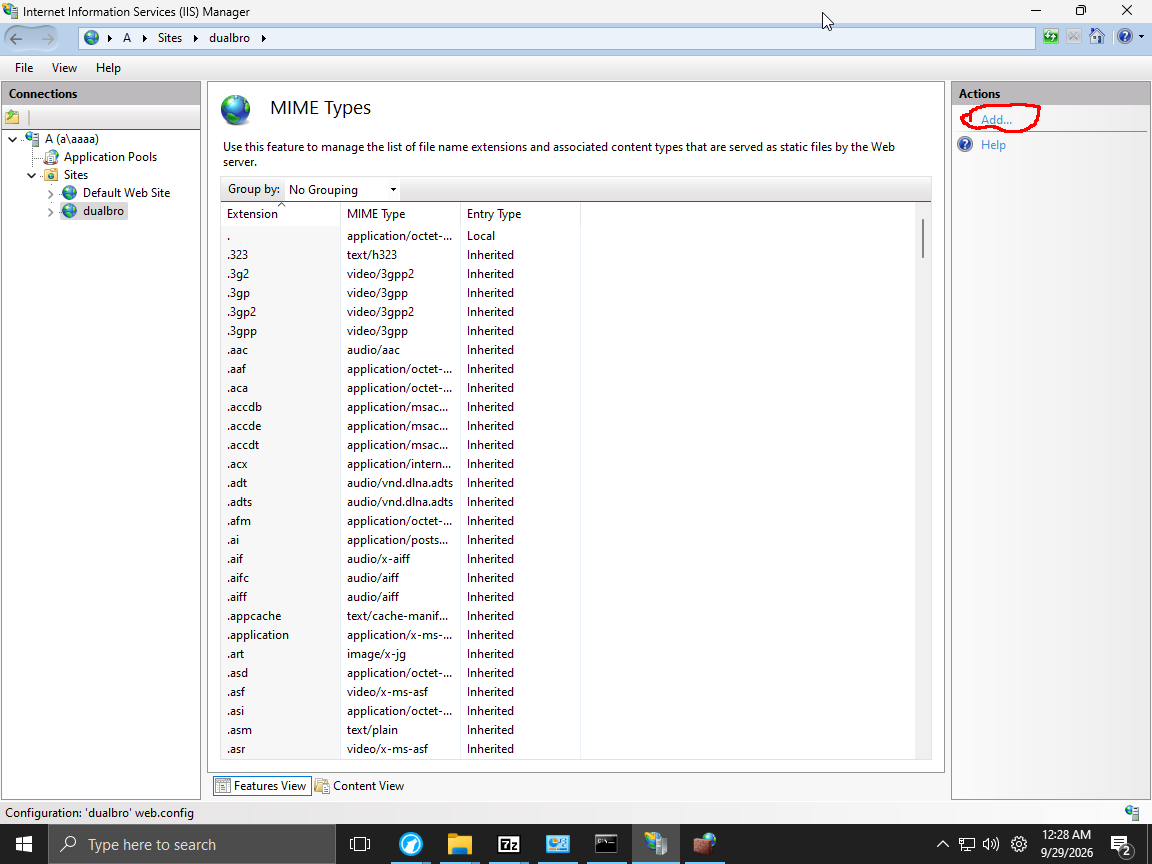
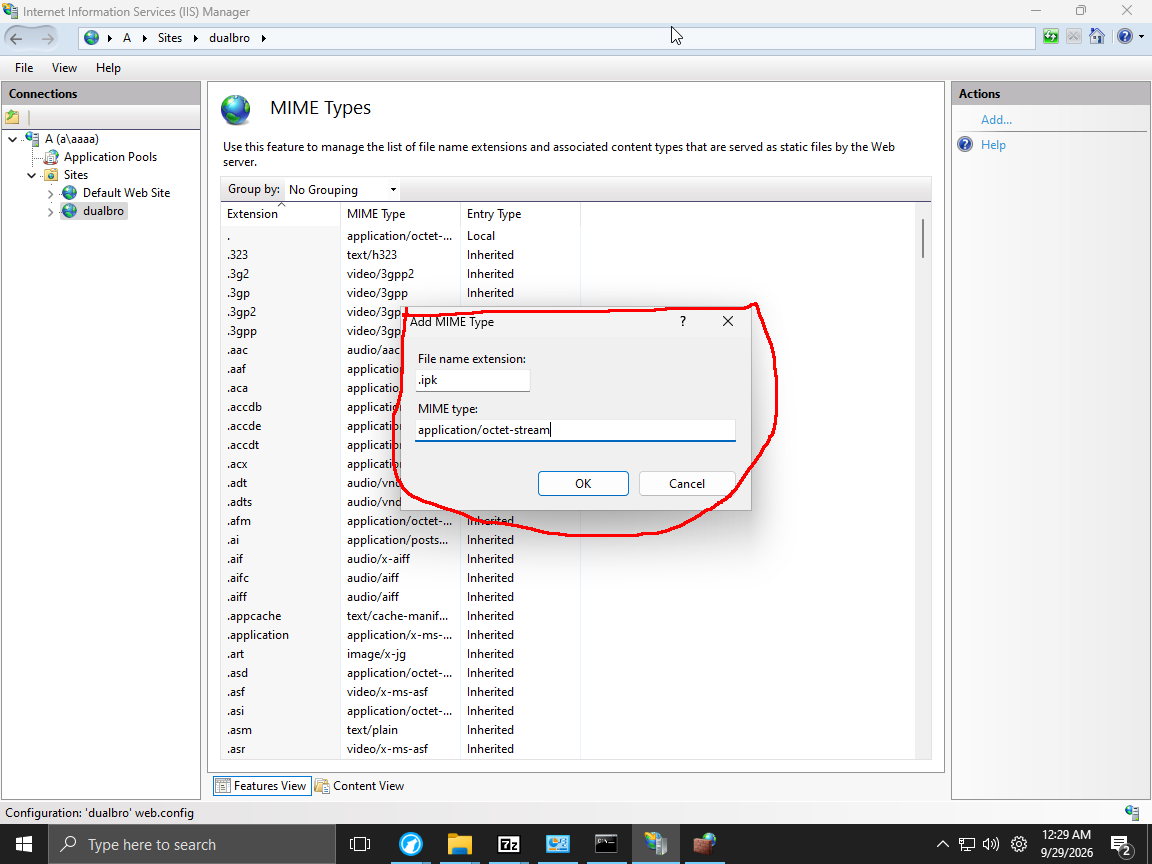
Click Add
This should pop fill in the feild like so
Click ok
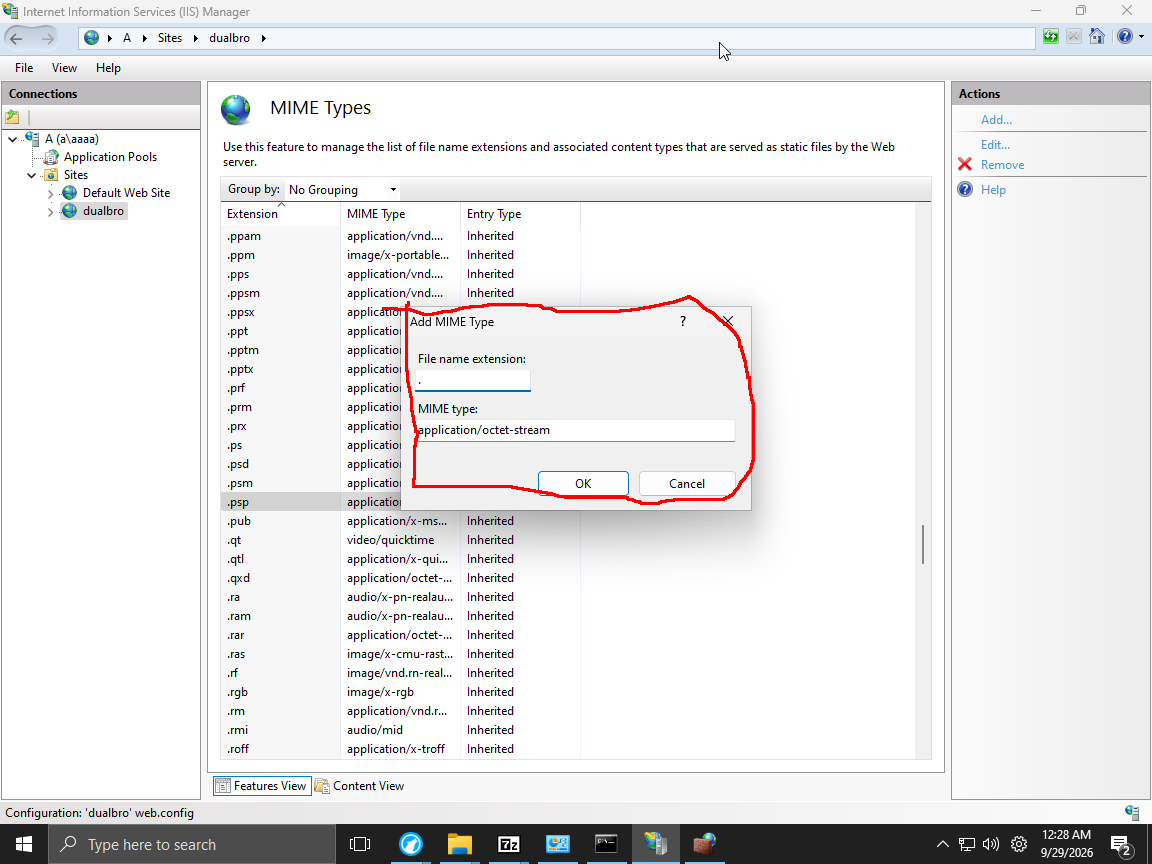
Click Add
This should pop fill in the feild like so
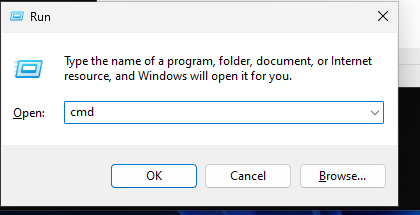
Prass win + r
Type cmd and click ok
Type ipconfig
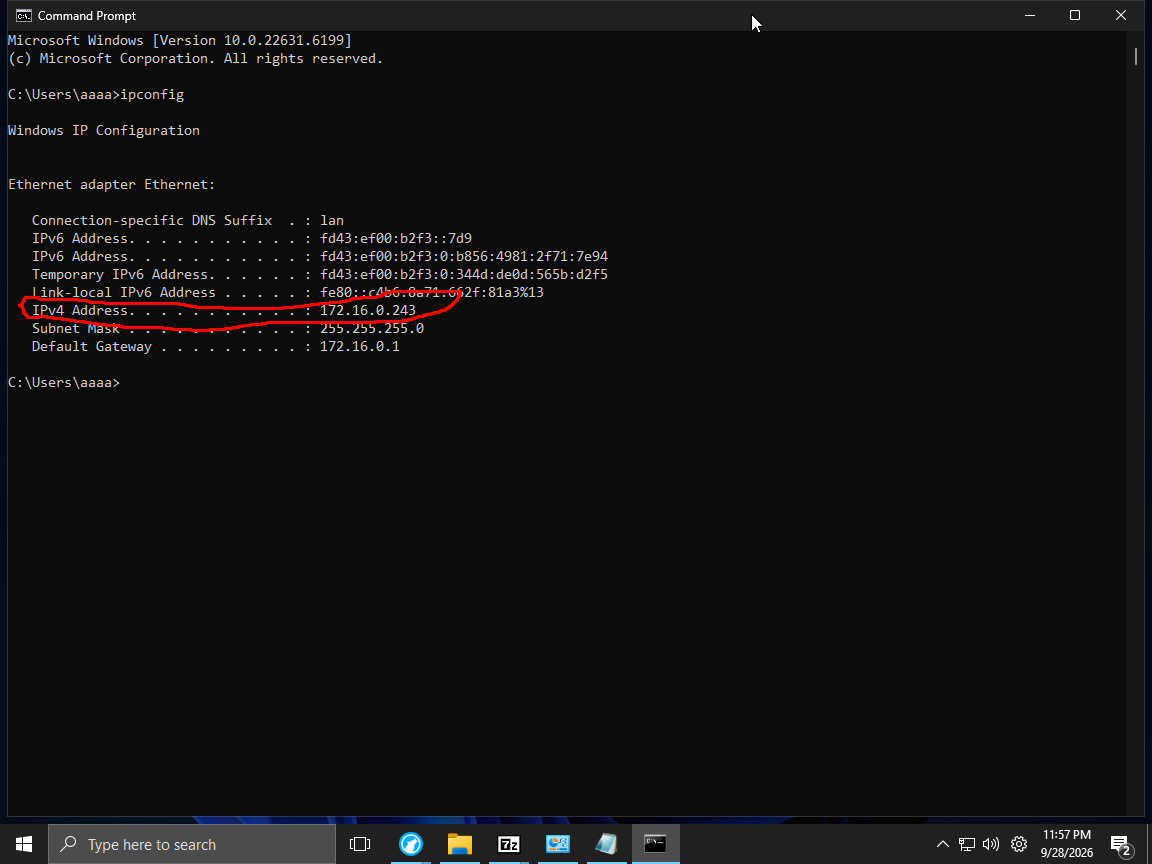
as you can see the pc ip is 172.16.0.243
Prass win + r
Type notepad
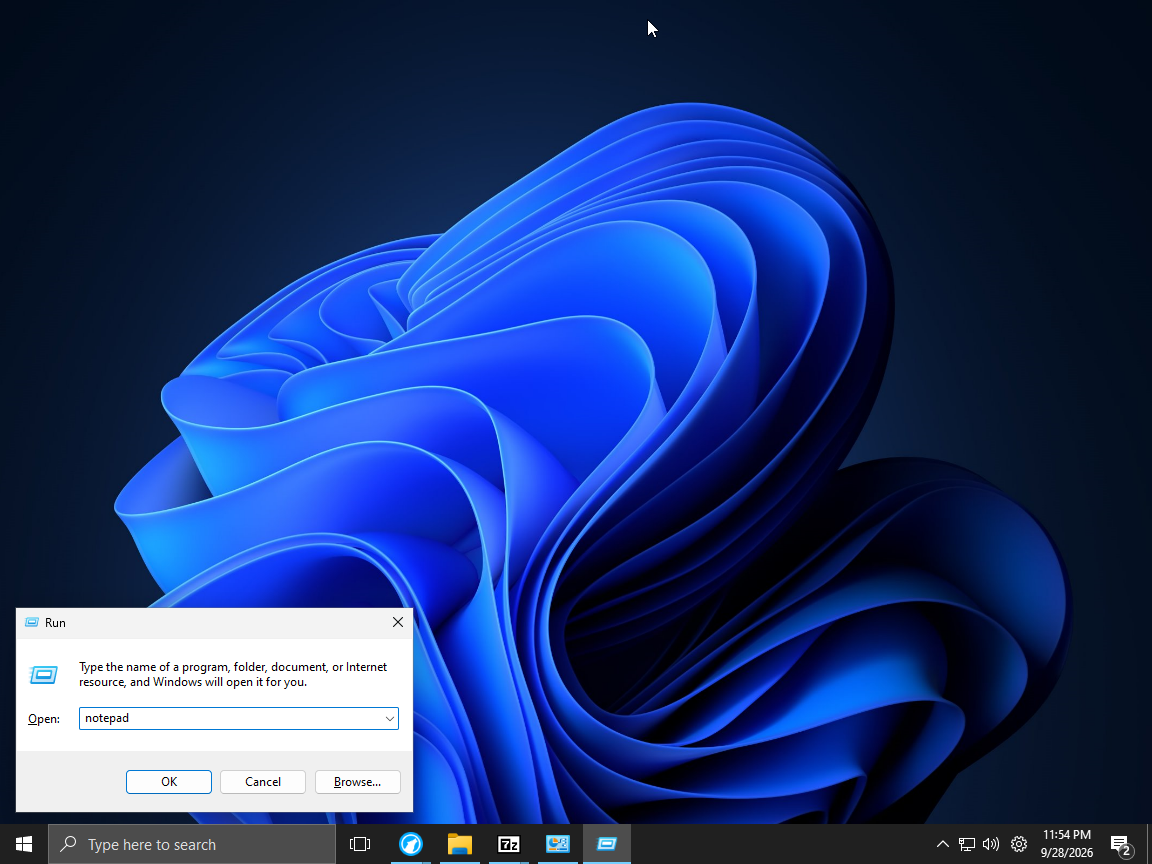
Notepad would show up
click ctrl + o
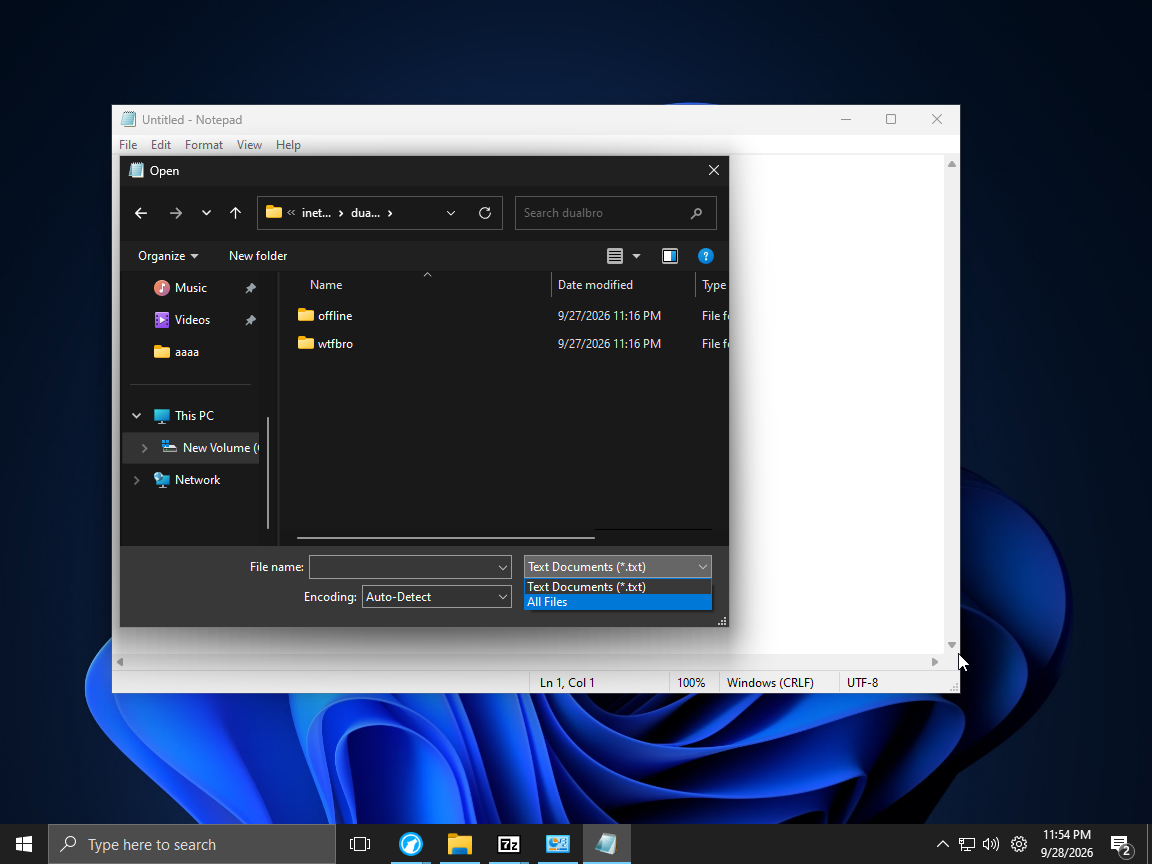
go to C:/inetpub/dualbro and click all files in file type
Select offline.json file
Edit the file like so :
(replace the 172.16.0.243 with your pc ip )
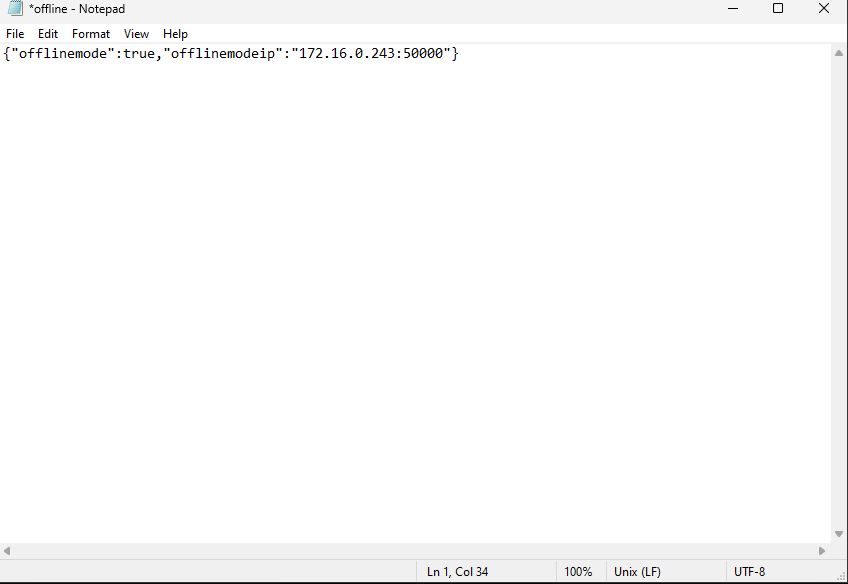
click ctrl +s to save